


AI Volunteer Coordination Document
Organize, Motivate, and Empower Your Volunteers
Managing a team of volunteers can feel like juggling a dozen moving parts—scheduling, communication, responsibilities, and making sure everyone feels valued. Whether you’re planning an event, running a nonprofit, or leading a community initiative, clarity and structure make all the difference.
Don’t let disorganization slow down your impact. With Bit.ai’s Volunteer Coordination Document, you can plan, assign, and communicate with ease—giving your team everything they need to succeed, right from one place.
So let’s dive into what this document is, why you need it, and how Bit.ai helps you coordinate volunteers like a pro.
What is a Volunteer Coordination Document?
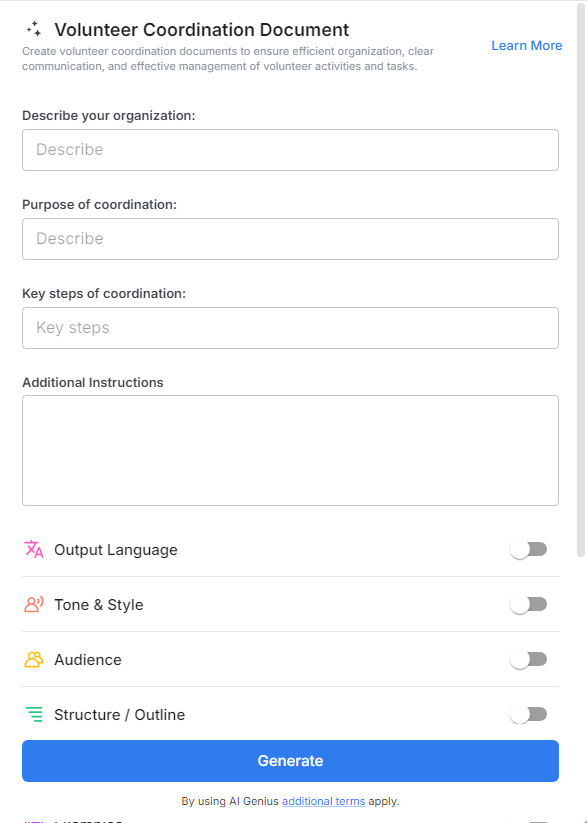
Think of it as your all-in-one volunteer playbook. Bit.ai’s Volunteer Coordination Document is a ready-to-use, customizable template that helps you outline roles, schedules, responsibilities, contact info, and expectations—all in one organized, collaborative space.
Why Use a Volunteer Coordination Document?
- Keeps Everyone Aligned: No more confusion—everyone knows their role, time slot, and who to contact.
- Reduces No-Shows: When communication is clear and responsibilities are outlined, volunteers are more likely to show up and stay committed.
- Boosts Morale: Volunteers feel appreciated and respected when things are organized and their contributions are clearly valued.
- Streamlines Communication: One shared document means fewer emails, texts, and reminders lost in the shuffle.
- Improves Event Execution: Whether it’s a fundraiser or a cleanup drive, a strong coordination document ensures things run smoothly.
Why Use Bit.ai for Volunteer Coordination?
Bit.ai turns what could be a chaotic spreadsheet or email thread into a sleek, easy-to-navigate hub that keeps volunteers informed, inspired, and involved. It’s the modern way to lead with clarity and compassion.
- Role-Based Templates: Easily create sections for greeters, setup crew, food service, registration, etc.
- Real-Time Collaboration: Update schedules and shift changes live—volunteers always have the latest info.
- Contact Lists & Emergency Info: Securely store names, numbers, and backup contacts all in one place.
- Task Descriptions: Clearly define what’s expected of each role so there’s no guesswork on event day.
- Custom Sections: Add maps, parking instructions, FAQs, or even inspirational quotes to motivate your team.
- Permissions Control: Set who can view or edit the document—perfect for keeping sensitive info private.
- Searchable & Shareable: Volunteers can easily find their name, role, or shift without scrolling endlessly.
How to Use Volunteer Coordination Document
1. Open a new document

2. Type @ on a blank line to open up the AI Writing Assistant.

3. Search Instagram Post Generator from the template search field on the left sidebar.
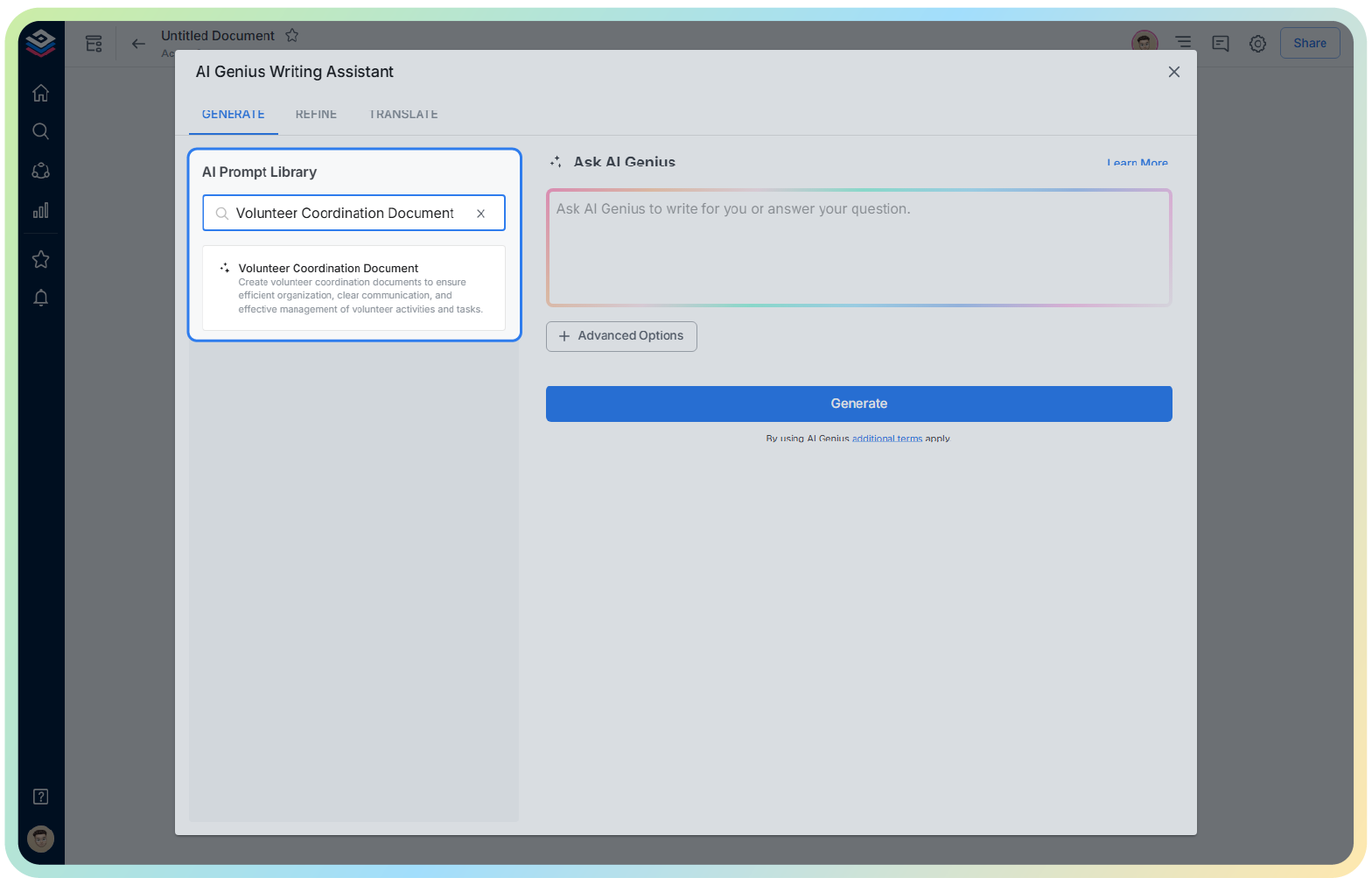
4. Fill out the quick Instagram Post Generator entry form, and Bit.ai will generate a customized post.

5. Click on ‘Advanced Options’ to refine tone, formatting, or add special instructions.

6. Once complete, hit ‘Insert’—your document is now live and ready to share!
