


AI Security Incident Report
Comprehensive Reports for Swift Action
In the world of security management, incidents are inevitable—but confusion doesn’t have to be. A well-documented security incident report is essential for understanding breaches, mitigating risks, and preventing future incidents. Creating such a report can be a meticulous task, but Bit.ai’s Security Incident Report Generator simplifies the process, helping you produce professional, detailed, and actionable reports in minutes.
Curious about how Bit.ai can transform your incident reporting process? Let’s explore!
What is a Security Incident Report?
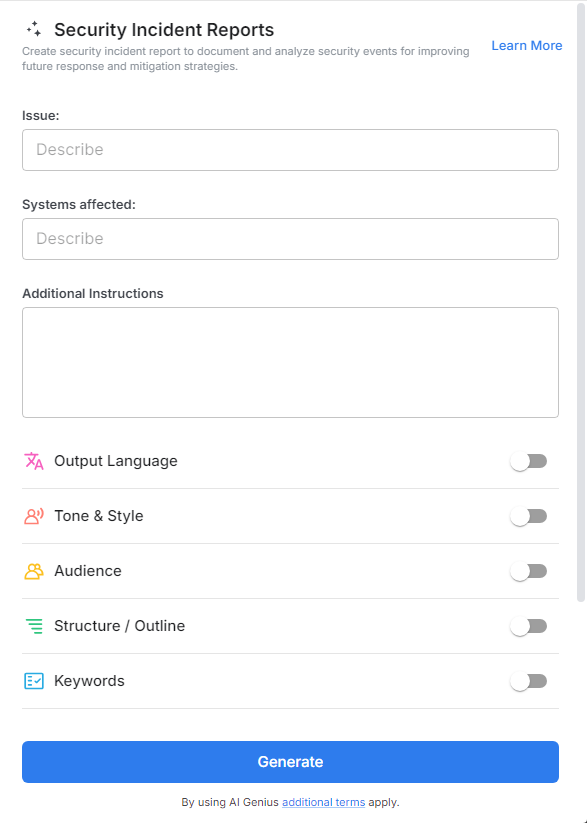
Picture a tool that does the heavy lifting for you. A Security Incident Report Generator is an AI-powered solution designed to help you quickly document security events. From identifying affected systems to detailing actions taken, this generator ensures you capture every critical aspect with clarity and precision.
Why Use a Security Incident Report?
- Quick Turnaround: Generate detailed incident reports in minutes, even under pressure.
- Accurate Documentation: Ensure all essential details—timeline, impact, and resolution steps—are included.
- Standardized Format: Maintain consistent and professional reports for easy analysis and auditing.
- Enhanced Communication: Provide clear, actionable insights to stakeholders and team members.
• Regulatory Compliance: Meet reporting standards and requirements effortlessly with well-structured documents.
Why Choose Bit.ai for Security Incident Reporting?
When incidents occur, time and accuracy are of the essence. Bit.ai’s Security Incident Report Generator is designed to streamline the reporting process and empower teams to respond effectively.
- Structured Templates: Start with pre-built templates tailored to various security incidents, from phishing attacks to data breaches.
- Detail Capture: Cover every element, including the nature of the incident, systems affected, severity, and resolution efforts.
- Customizable Fields: Adapt the report to include organization-specific details or unique incident metrics.
- Real-Time Collaboration: Share the draft with your team, collect insights, and finalize reports collaboratively.
- Centralized Records: Store all incident reports in a secure, organized repository for future reference and analysis.
- Actionable Insights: Highlight root causes and recommended actions, making it easier to implement preventive measures.
- Regulatory Alignment: Align your reports with industry standards to ensure compliance and transparency.
How to Use Bit.ai’s Security Incident Report?
1. Open a new document in Bit.ai.

2. Type @ on a blank line to open up the AI Writing Assistant.

3. Search Instagram Post Generator from the template search field on the left sidebar.

4. Fill out the quick Instagram Post Generator entry form, and Bit.ai will generate a customized post.

5. Review the generated report and refine it to include additional information or team feedback.

6. Click "insert" and share the finalized report with relevant stakeholders or authorities.
