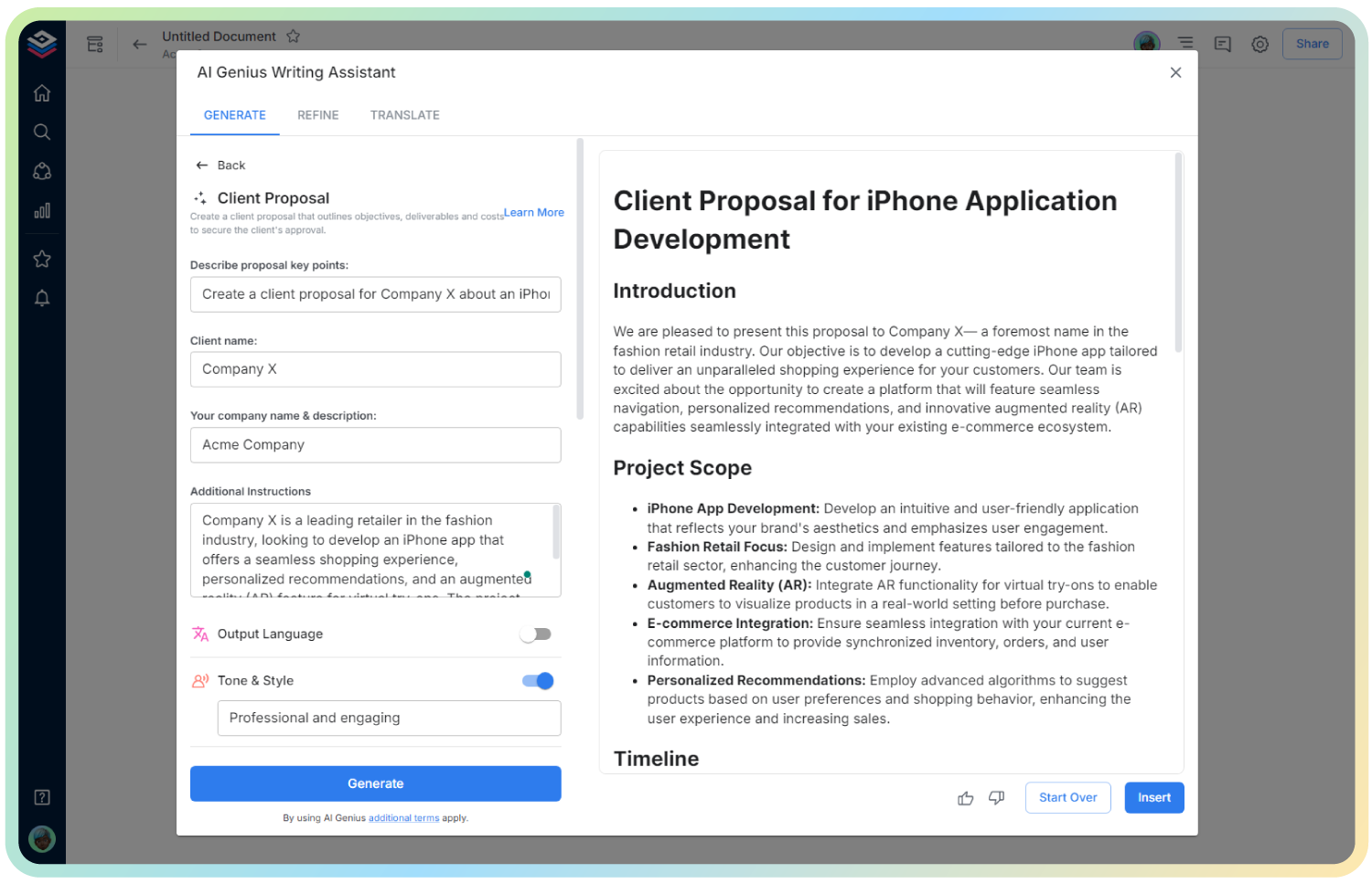
AI Google Ad Ideas Generator
Spark Creative Ad Campaigns. Clicks Start Here.
Running out of fresh ideas for your next Google Ads campaign? With limited time and endless competition, it’s tough to stand out in search results—unless your ads are attention-grabbing and perfectly tailored.
Bit.ai’s Google Ad Ideas Generator gives you the edge, helping you create compelling copy and campaign ideas in seconds. It’s like having your own digital creative director in your back pocket.
Let’s explore how this tool works, why it’s a game changer, and how Bit.ai turns ad idea generation from a headache into a high-converting habit.
What is a Google Ad Ideas Generator?
The Google Ad Ideas Generator is a smart, AI-powered tool that helps marketers, business owners, and freelancers brainstorm relevant, keyword-rich ad variations based on your product, audience, and goals.
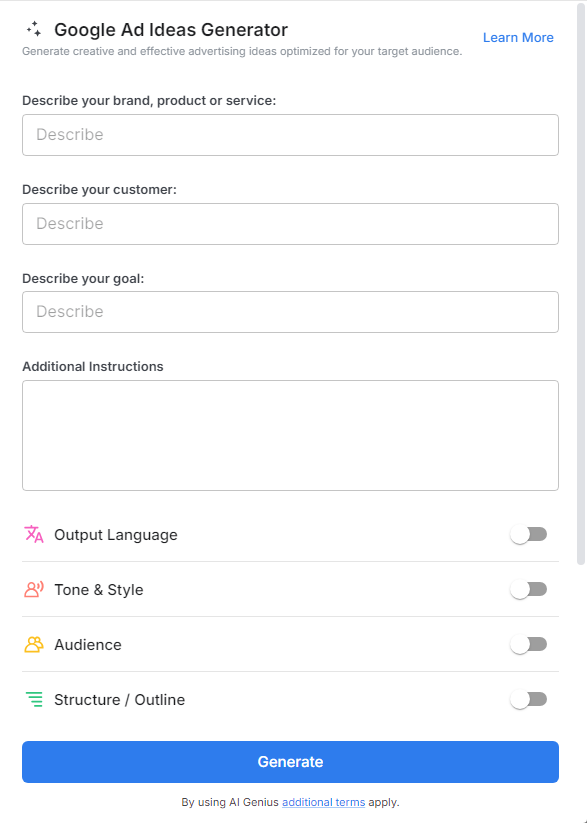
Why Use a Google Ad Ideas Generator?
- Boost Click-Through Rates: Generate headline and description variations that are optimized to catch the eye and earn clicks.
- Fuel A/B Testing: Create multiple versions of ad copy for quick testing and performance comparison.
- Save Time: No need to start from scratch—get headline, CTA, and body text suggestions instantly.
- Match Buyer Intent: Generate copy that reflects the searcher’s mindset and intent—at every stage of the funnel.
- Stay Creative: Say goodbye to copy fatigue and unlock fresh messaging angles with every use.
Why Use Bit.ai for Google Ad Ideas?
Bit.ai turns the ad ideation process into a collaborative, dynamic experience. From solo entrepreneurs to marketing teams, anyone can use this tool to produce campaign-worthy copy in minutes.
- Smart Templates: Use industry-specific ad frameworks for eCommerce, SaaS, services, and more.
- Custom Keyword Fields: Input your target keywords, audience pain points, and desired tone.
- Dynamic Suggestions: Get 5–10 variations in different tones—formal, playful, urgent, etc.
- Team Feedback: Share with teammates or clients for real-time input and final selection.
- Organized Storage: Keep all your ad ideas in one place, organized by campaign or client.
How to Use Google Ad Ideas Generator
1. Open a new document

2. Type @ on a blank line to open up the AI Writing Assistant.

3. Search Instagram Post Generator from the template search field on the left sidebar.
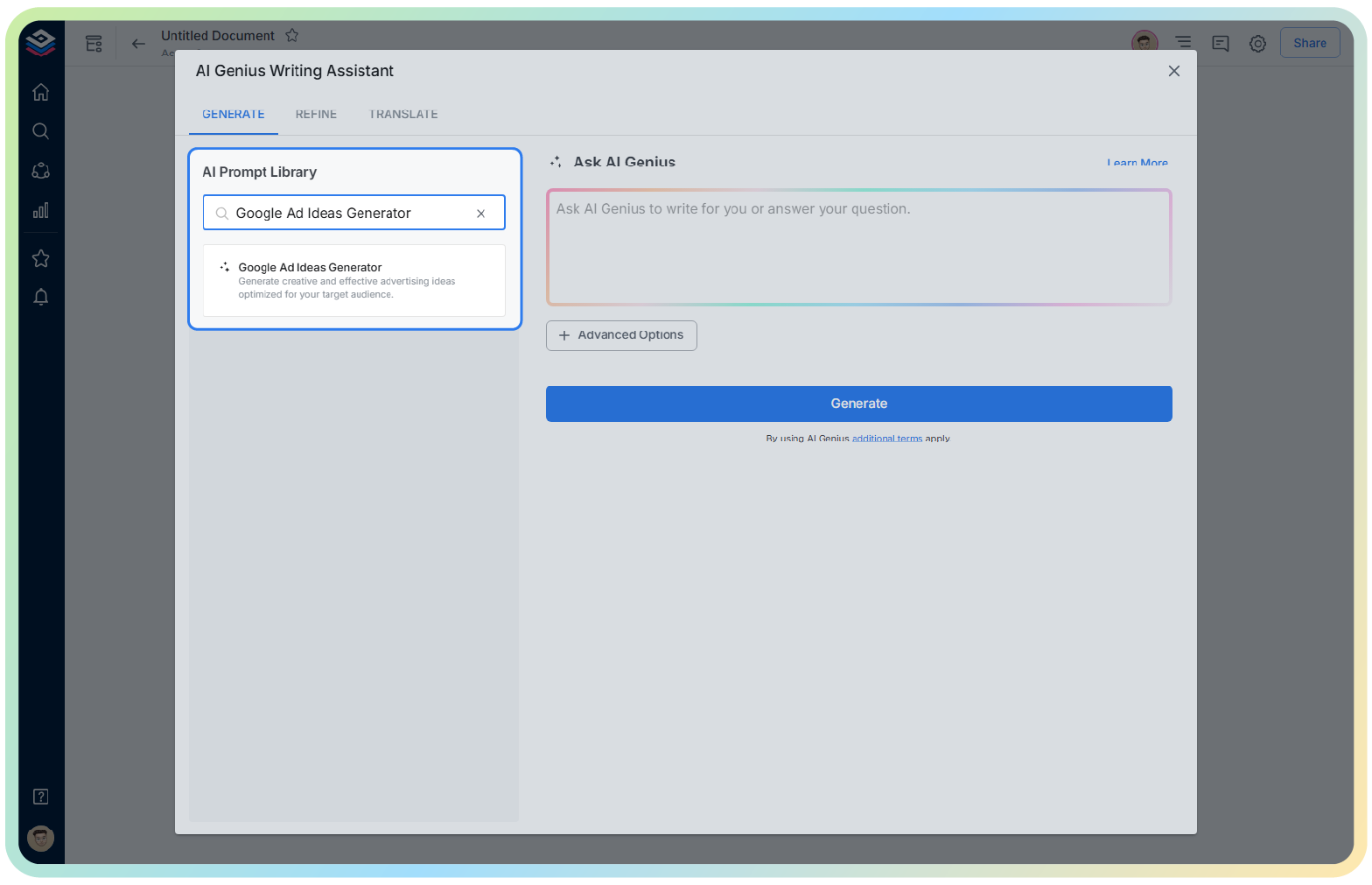
4. Fill out the quick Instagram Post Generator entry form, and Bit.ai will generate a customized post.

5. Click ‘Generate’ to get multiple ad copy options.

6. Review, edit, and insert into your Bit document for easy sharing and storage.